
When developers discover a new open-source project, one of the first questions they ask is simple: “What can I actually build with this?”
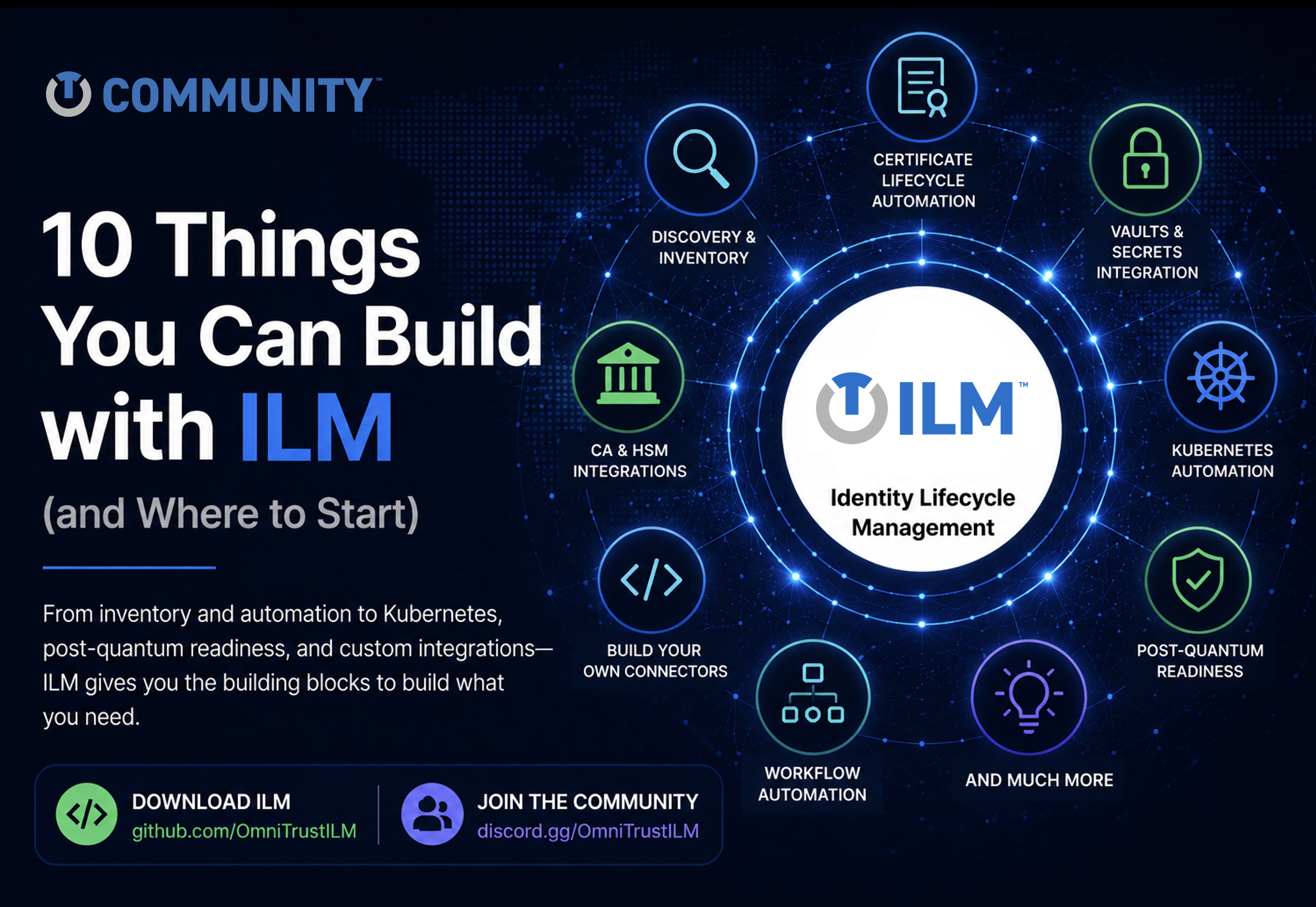
Identity Lifecycle Management (ILM) is an open foundation for automating certificates, keys, secrets, and machine identities across modern cloud, hybrid, and enterprise environments. Rather than being just another certificate lifecycle management platform, ILM gives developers, platform engineers, security architects, and contributors the flexibility to solve real-world cryptographic challenges in their own environments. Whether you’re extending an existing integration, experimenting with new automation, or creating something entirely new, ILM provides the features, flexibility, and extensibility to help you build solutions faster. Here are ten ways to get started.
Build a Unified Inventory of Cryptographic Assets
Every trust automation project starts with visibility. Use Discovery, Inventory, and CBOM Lens to identify certificates, cryptographic keys, secrets, and other cryptographic assets across your environment. Together, they help you create a centralized inventory that improves governance, ownership, compliance, and operational awareness.
Automate Certificate Lifecycles
Replace repetitive manual work with automation. Build workflows for certificate requests, approvals, issuance, renewal, deployment, and expiration monitoring including notifications and ticketing or automation systems integration using the Core Platform, lifecycle services, policy framework, and supporting Documentation.
Extend Certificate Authority Integrations
Most companies already have PKI infrastructure. Instead of replacing it, extend it. ILM already includes connectors for technologies such as Microsoft ADCS and EJBCA NG. Start with the Microsoft ADCS Connector or EJBCA NG Connector, then adapt or extend them for your own certificate authority and operational requirements.
Integrate Vaults and Secrets Management
Certificates are only part of the trust lifecycle. Build on the HashiCorp Vault Connector or create integrations with your preferred vault technologies. Create one master vault and synchronize secrets to the others or create synchronization rules between sets of vaults. Bring certificates, cryptographic keys, and secrets together under a unified trust lifecycle while leveraging the vault solutions you already use.
Extend Existing Cryptography and HSM Providers
You don’t have to build everything yourself. Start with the Software Cryptography Provider and Interfaces framework, then extend support for your HSMs, software keystores, or organization-specific cryptographic services.
Automate Trust Across Kubernetes
Cloud-native applications require cloud-native trust. Deploy ILM using the Kubernetes Operator and Helm Charts, then automate certificate and trust operations across Kubernetes clusters, containers, and modern application platforms.
Prepare for Post-Quantum Cryptography
Post-quantum migration begins with understanding what you already have. Use Discovery, Inventory, and CBOM Lens to identify cryptographic assets, understand where cryptography is being used, and begin planning your migration strategy. Setup smooth migration between different certificate profiles or even certificate authorities without need of endpoints modification.
Build Your Own Connectors
Every organization has unique systems. Use Interfaces together with the Go SDK to build integrations for internal applications, cloud platforms, DevOps pipelines, ITSM systems, or security tools. Existing connectors provide excellent examples and a solid foundation for building your own integrations.
Create New Trust Automation Workflows
Trust automation goes far beyond certificates. Build workflows that enforce policy, orchestrate approvals, automate notifications, validate compliance, and integrate with external systems using projects such as the Scheduler, Webhook Notification Provider, and Email Notification Provider.
Build Something We Haven’t Thought Of Yet
This is where open source becomes truly exciting. The OmniTrust ILM GitHub Organization includes more than 50 repositories spanning platform services, connectors, SDKs, operators, APIs, documentation, and development tools. Use them as building blocks, extend them for your own environment, or create something entirely new. Some of ILM’s most valuable future capabilities won’t come from a product roadmap alone. They’ll come from developers solving real-world problems, sharing ideas, and contributing back to the community. Maybe the next one will come from you.
Ready to Build?
Everything you need to get started is available through the OmniTrust ILM Community—from downloading ILM and exploring the GitHub repositories to reading the documentation, following the Quick Start guides, joining Discord, and connecting with the community.
Download ILM. Explore the code. Build something. Share it with the community.
The future of trust automation will be built with the community.

